No document skips this
There is no exception and no threshold above which a document passes by itself. Every single one waits for you to confirm it.
Features
The home page shows the path in four steps. This page gives you the limits: which files are accepted, what is read from them, what you decide yourself — and which of it is recorded.
Files
PDF, Word, OpenDocument, XML and photos from your phone, up to 30 MB per file. The original is always stored unchanged — including where a PDF rendition is made from it for reading.
| File type | Extension | What happens to it |
|---|---|---|
| The text is read straight out of the file. Scanned pages by image recognition. | ||
| Word | .doc · .docx | A PDF rendition is made for reading. The reading happens on that; what is stored is your file. |
| OpenDocument | .odt | Same as Word — a PDF rendition for reading, the original untouched. |
| E-invoice | .xml | Rendered as an invoice table. Where it is complete, the fields are taken straight from it. |
| Photo | .jpg · .png · .heic | Same as Word — a PDF rendition for reading, your image untouched. The page itself is read by image recognition. |
From a phone Vaultivo takes JPG, PNG and HEIC; other image formats it does not. A scanned PDF was never a problem either — its pages are read by image recognition in the same way.
Reading
Before anything else, every file is scanned for malware. Only then is anything read from it at all.
For a complete structured invoice — ZUGFeRD, Factur-X or XRechnung — the fields are taken from the file itself. Not guessed, not read: taken. If something is missing from it, the document takes the route below.
The text is lifted directly out of the file. This is the ordinary case for anything produced by accounting software or a till system.
Where the page carries no text, the image is read instead. There is no separate waiting state for it — both routes end in the same step.
Document type, number, date, amount, currency and business partner. Fields on the record, not a filename — which is why you can search and filter on them later.
Confirming
Every document waits in your inbox, with what was read from it and what stayed unclear.
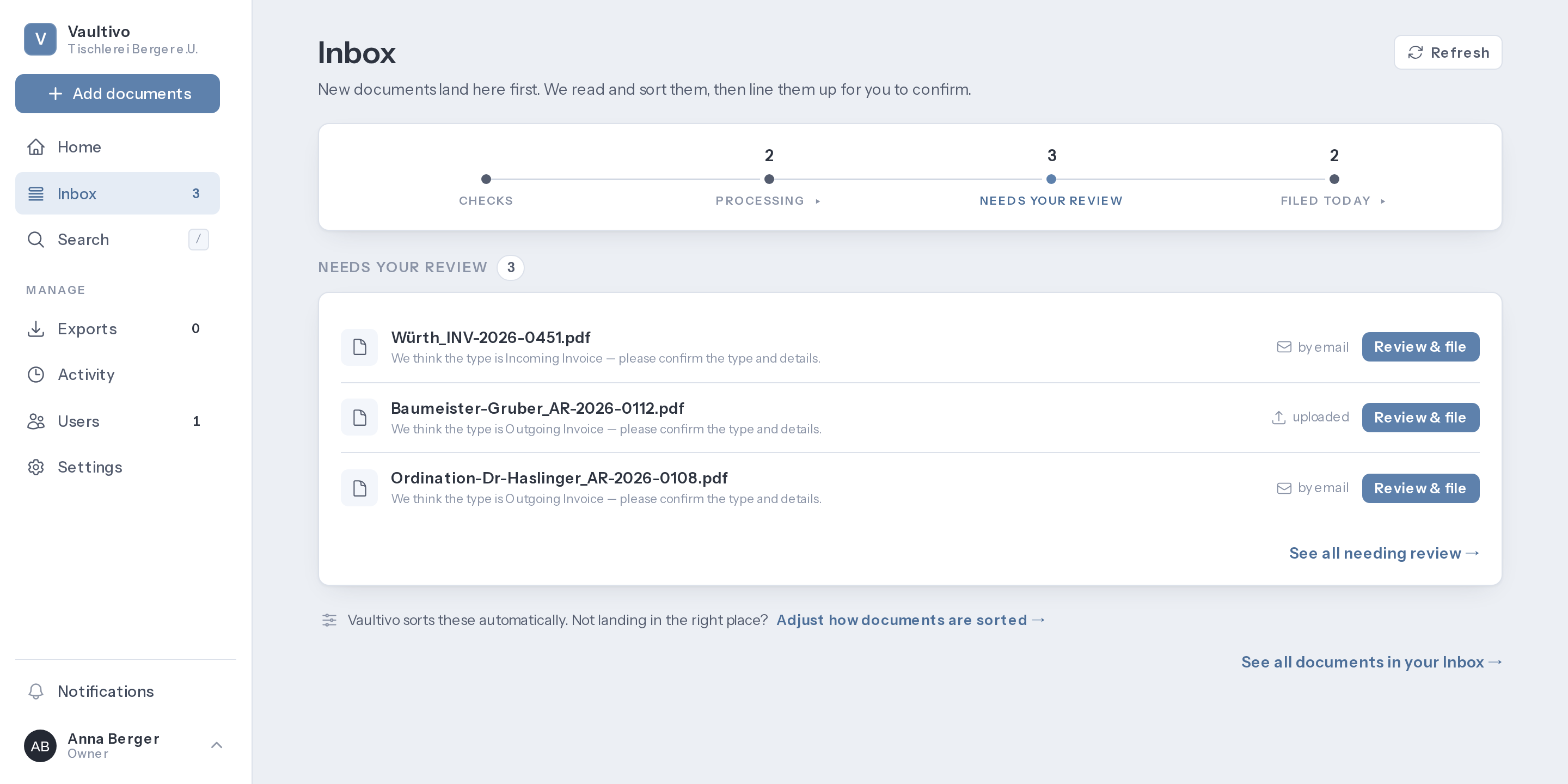
There is no exception and no threshold above which a document passes by itself. Every single one waits for you to confirm it.
A document in the inbox is not an archive entry awaiting a check. It is not one yet. Confirming is what creates it.
Confirming means confirming. No further dialog appears asking whether you really meant it.
Finding it again
In three years you will not remember what the file was called. So that is not the only place Vaultivo looks.
The extracted text is searchable. A match found only there brings the line it was found in — without it, several such matches would be impossible to tell apart.
Number, business partner, title, amount, month. What was set when the document was classified.
The name the sender gave it. A document must not become unfindable by that name simply because it finished processing.
Documents still sitting in the inbox are found too — in their own group, at the top. What you just uploaded is findable before it is finished.
Taking it with you
An archive nothing comes back out of is not an archive. An export covers the same documents you see in the list — up to the whole archive — and you choose the form it arrives in.
The original files, a document table, and a second table whose columns never change, shaped for import into an accounting package. The everyday case: the quarter, for your accountant.
The same documents, plus a checksum for every single file and, for every document, the record of when it arrived, when it was scanned for malware, when you confirmed it and how long it is to be kept. Made for handover to another system, and for lying untouched for years.
The archival package follows two published formats, BagIt and PREMIS, so somebody else’s archival system can read it without asking us. There is no certification for that, and we claim none. After cancellation the archive stays readable and exportable for 30 days.
Audit trail
A trail is only worth something if its scope is stated. So:
That appears in your trail, not in someone else’s. It is precisely the access you could not otherwise notice.
Open one of your own documents and nothing is recorded. That is not a gap, it is the scope: what is logged is privileged access.
Updates and deletes are refused at the database level — not in the application, beneath it. Entries stay for as long as your account exists.
The retention period belongs here too: Vaultivo calculates it, you may change it, and every change is kept with both its previous and its new value.